
A familiar business.
A whole new
way in.
Give your customers a place on their phone for the things they come back to. Their bookings. Their membership. Their project. All connected to your business.
Branded Android apps, built around real customer journeys.
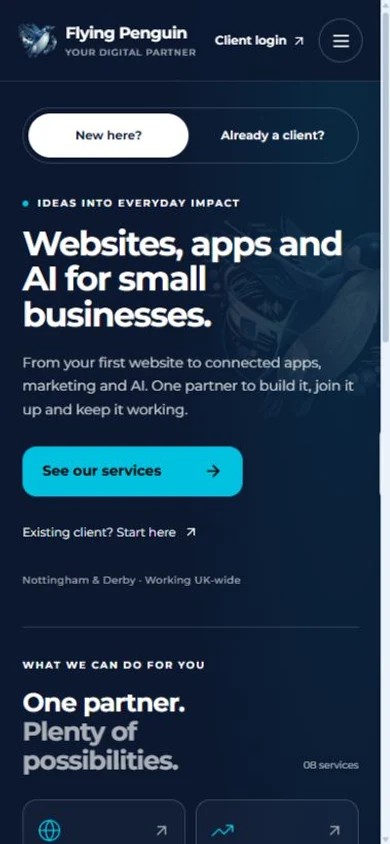
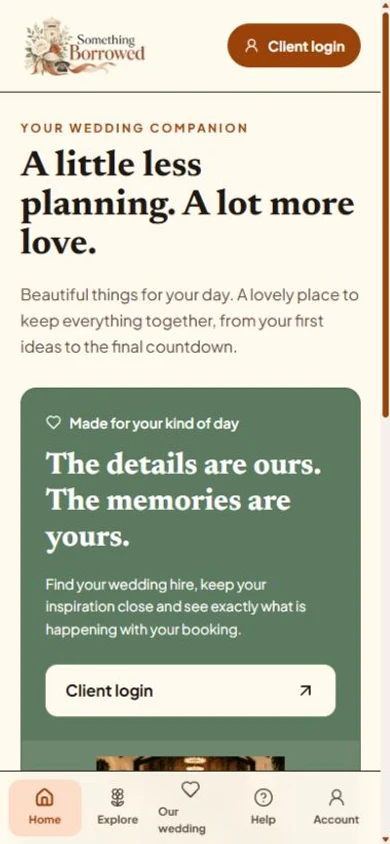
A reason to download.
A reason to return.
An app should earn its place on a home screen. We start with the moment it makes easier, then join up the design, website and account tools behind it.
A shorter way back
Open the account, booking or club tools without finding the right email or searching for the website again.
An experience that feels like you
Your name, your visual identity and a mobile layout designed around the people using it.
Connected to the business
Bring the existing portal, shop or service journey into the app, with access and permissions checked.
Your business.
In their pocket.
Explore examples of Google Play Store apps we’ve developed for clients and customers, and see what each one makes possible.
Flying Penguin
Client portal
Your project, without the email hunt.
- Open your client portal from your home screen.
- Keep projects, messages and billing together.
- Return to the same account you already use.

Different businesses.
Different reasons to open the app.
Flying Penguin
Client portalYour project, without the email hunt.
Brick Club
Membership & rentalFrom the next great build to an easy return.
Something Borrowed
Wedding hireA little less planning. A lot more love.
Reformer Connect
Equipment & servicingThe equipment, the engineer and the conversation.
Merlin Scooter Club
Club communityClub life, ready for the next ride.
Field Lane FC
Grassroots footballA whole club, closer to its families.
Padel Relay
Sport & discoveryLess searching. More reasons to play.
The Player Vault
Private player recordsA cricket journey, kept together and controlled by you.
Examples include public apps and projects preparing for launch. Use the showcase above for the current Google Play stage. Web previews open the public experience; private account areas require sign-in.
From a useful idea
to a proper release.
We handle the pieces around the app too. Clear scope, real testing and a store listing that reflects what it actually does.
Start with your customer journey- 01
Agree the first job
Choose who the app is for, what they need to do and what connects to your existing systems. We put scope and costs in writing.
- 02
Try the experience
See the identity, screens and main journeys in a working prototype. Refine them before the full build.
- 03
Build, connect and test
Check the installed Android app, account roles, permissions, return visits and supported device layouts.
- 04
Prepare, review and support
Prepare Google Play assets and review information. Verify public installation after approval, then agree support and future updates.
We use it for
our own clients, too.
The Flying Penguin app brings our client portal within easy reach. One familiar place for projects, conversations and billing, using the account our clients already have.
- A recognisable home on your phone
- Existing account access
- Projects and their details kept together
A few practical
questions.
Have a particular system in mind? We can check what is possible before you commit.
Looking for a wider business system?Can you turn our existing website into an app?
Often, yes. We first check the website, account system and the tasks people need to complete. The app needs a useful mobile experience, clear navigation and a reason to come back. The agreed build may include improvements to the website or its integrations.
Will customers need another account?
Where the existing system supports it, the app uses the same account and business data. Customers should not need to enter the same details twice. We agree sign-in, account recovery and permissions before building.
Can it send notifications?
Notifications can be included for appropriate events, such as an account update or a message. The actual triggers, permissions and delivery routes are agreed for your project and checked on a real Android device. They are not included automatically in every example.
What does it cost?
The price depends on what already exists and what the app needs to do. We agree the first-release scope, setup cost and any ongoing hosting, support or third-party charges in writing. Start with a conversation and a working prototype.
Does this include an iPhone app?
This service covers Android and Google Play. An iPhone app needs a separate build, testing and Apple review process. We can discuss that as a separate scope; a Google Play release does not include an Apple App Store listing.
How does Google Play approval work?
We prepare the listing, genuine screenshots, reviewer access and relevant privacy and Data safety information, then support the review process. Google controls approval and timing. Internal testing or a submitted release does not mean the app is publicly available.
Let’s build
what’s next.
15 minutes with Garreth, the founder.
He ran his own businesses before he built tools for them, so bring the messy version.