
Websites & support / Behind the scenes
Alvaston Mobile Mechanic: showing the work behind the services
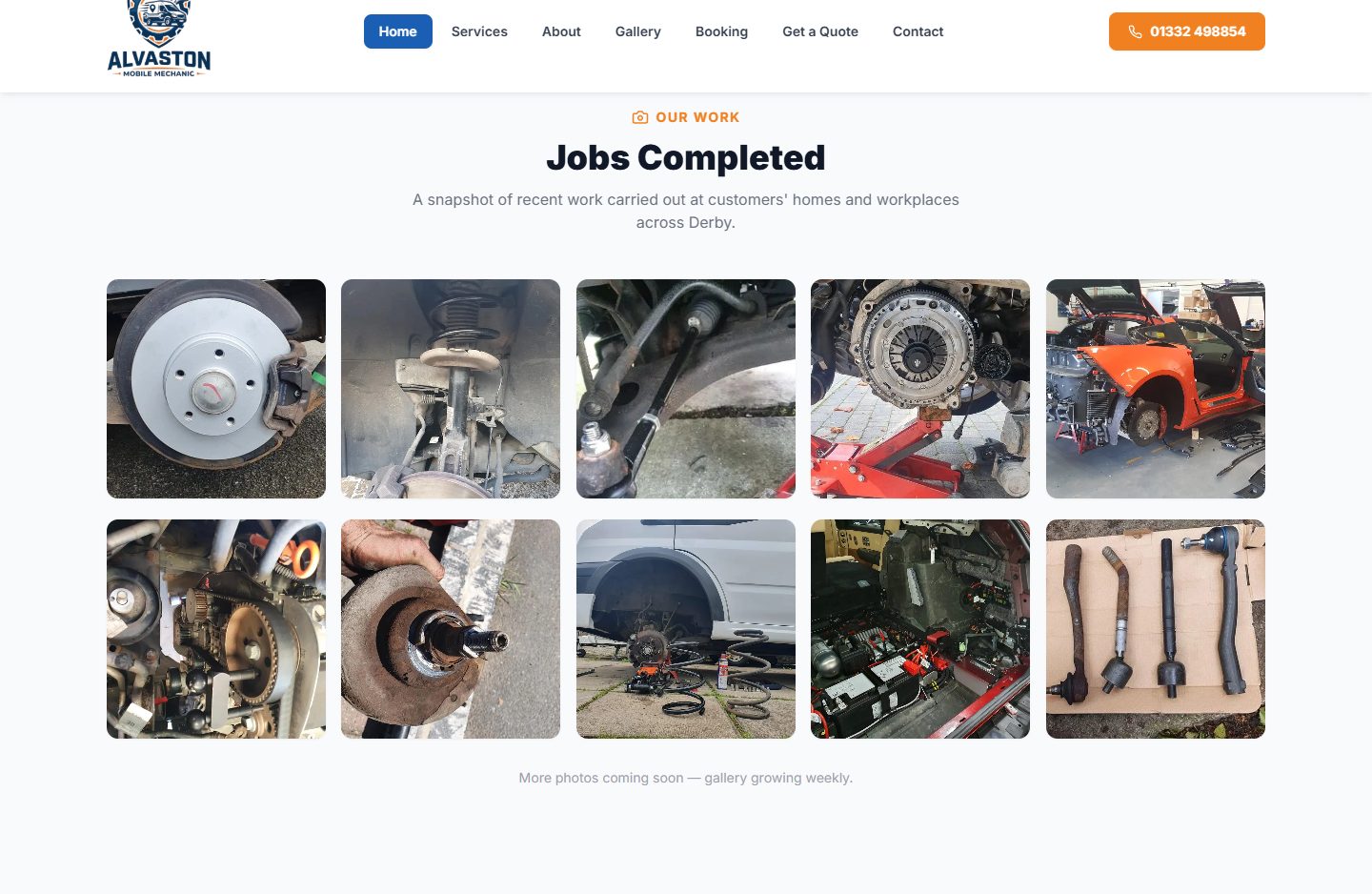
A brake disc, a suspension strut and a clutch assembly appear in the public gallery on Alvaston Mobile Mechanic’s website. Those photographs are the detail I want to start with in this look at the site.
We built and maintain the website. It introduces Dan Preston’s mobile mechanic service around Derby, including work at a customer’s home or workplace.
Show the work behind the service name
The gallery brings together close-up component photographs and wider views of vehicles being worked on. A visitor can see examples behind labels such as brakes, suspension and servicing.
A photograph does not diagnose the next customer’s car. It gives the service description something concrete to connect to. That is a useful job for a trade website gallery.
I like images that explain a part of the work. They can show a stage that a customer would rarely see, or help someone recognise what the business is talking about when they read the accompanying description.
Explain where the work takes place
The homepage describes a mobile service across Derby and the surrounding area. It puts home and workplace visits in the opening explanation, with the fuller service range further down the page.
That information affects the first question a visitor asks. They can explain where the vehicle is and what they need help with, then discuss whether the work can be arranged there.
For a mobile trade, I want that practical context visible early. It helps the customer understand the type of service before they begin an enquiry.
Give a question and a booking their own routes
The navigation separates booking from getting a quote. Phone and contact options are also visible. Those labels tell someone what kind of next step they are choosing.
A visitor may already know the work they want to arrange. Another may only have a description of a problem. The website needs to make room for that uncertainty, so someone can ask without first becoming a mechanic.
For your own booking or quote route, agree what the customer needs to provide and what happens after the request. The wording of the link should fit the step it opens.
Collect photographs with a purpose
If we are planning your trade website, choose photographs that help explain the services you want customers to understand. Keep a short note of what is shown, so the picture has useful context when it reaches the page.
Check the selection before publishing, including any personal details visible in the image. Then put the relevant service explanation and contact route nearby. The gallery becomes part of how the page helps a customer ask about the work.
Sources
Checked on 23 October 2026.
- Alvaston Mobile Mechanic: public website
Current introduction to Dan Preston, mobile Derby service, service range, public work gallery and visible booking, quote and contact routes. The footer credits Flying Penguin for the build and maintenance. Screenshot captured on 23 October.