
Websites & support / Behind the scenes
SAW Maintenance Services: showing a broad range of trade work clearly
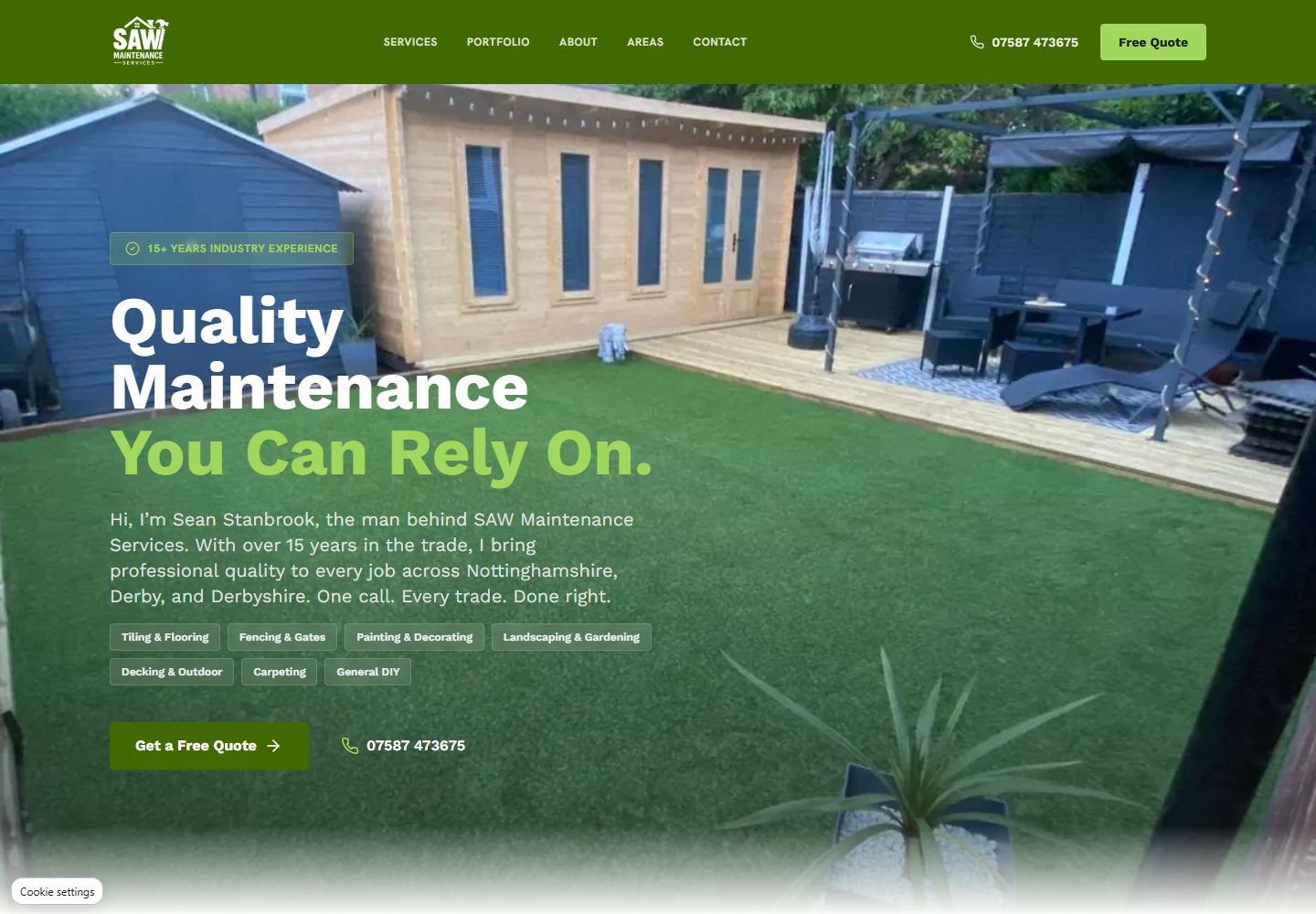
SAW Maintenance Services has a broad offering, from tiling and decorating to fencing and garden work. We built and maintain its website, which introduces Sean Stanbrook and shows the kinds of jobs the business takes on across Nottinghamshire and Derbyshire.
The site has to help somebody find their particular job within that range. A visitor wanting a kitchen tiled needs a different starting point from someone looking at a garden clearance. Clear service sections and photographs give both people somewhere useful to go.
Help the visitor recognise their job
The opening page introduces the service range and gives the visitor a quote route. Below it, individual descriptions explain the work in more detail. That makes it possible to move from a broad maintenance enquiry to something specific, such as fencing or wall and floor tiling.
For a business with several trades, I would want that grouping settled early in the website brief. Customers describe the thing they need fixing or changing. They may not use the same categories the business uses internally.
SAW’s enquiry form includes an option for someone who needs several services, as well as somebody who is unsure. That leaves room for an ordinary description of the work before Sean follows up to discuss it.
Show what changed in the garden
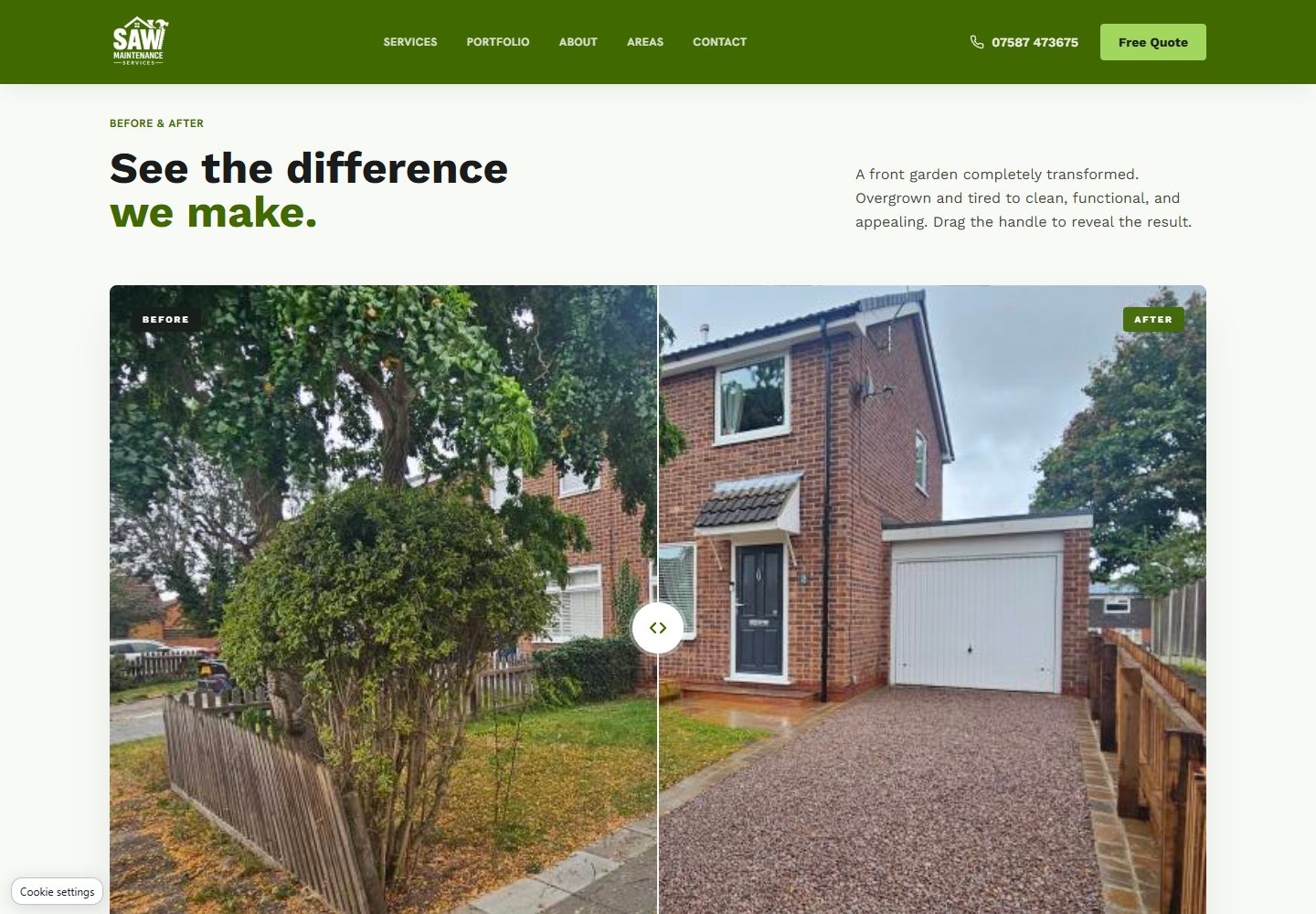
The before-and-after section lets a visitor compare two views with a draggable control. It is a useful format when the difference between the starting point and the finished space explains the work more clearly than one image alone.
The wider gallery can be filtered by service. It includes tiling, fencing and outdoor projects, with photographs and short video clips presented together. A visitor can narrow the collection to the kind of work they are considering.
Those formats need useful labels and a way to use them on a phone. The comparison should communicate its purpose before somebody touches the control. For a video, tell the visitor what it shows so they can decide whether to play it.
Put the service area beside the work
SAW’s site names the areas it covers across Nottinghamshire, Derby and Derbyshire. It also gives people a route to ask whether their location is covered.
A visitor looking through the gallery still needs to know whether the business can take on their job locally. Coverage belongs in that customer journey, close enough to the contact options to help them decide whether to enquire.
The postcode question in the form carries that context into the enquiry. The description of the job gives the business a starting point for the next conversation.
Keep the person behind the business visible
Sean appears by name in the introduction and about section, with direct contact options throughout the page. That is appropriate for a local maintenance business where the customer wants to know who they will be talking to about their home.
This is the part of a small-business build I enjoy: taking the way the business works and making it understandable on the page. The service list, location and examples help introduce the conversation somebody needs to have with Sean.
The website should also make it straightforward to add the next project to the right gallery category. A collection of current examples gives the business more useful material to share when a similar job comes up.
Try finding one particular service
Open SAW’s site and choose a job you recognise. Follow its service description, look for relevant work and find out whether your area is covered. That is a useful way to judge a website with a broad offering.
If your own service list covers several kinds of work, write down how customers describe their requests. We can use those descriptions to plan the sections and decide which photographs belong beside them.
Sources
Checked on 23 October 2026.
- SAW Maintenance Services: public website
The business’s public introduction, service range, service area, project media, comparison and enquiry route. Its footer credits FlyingPenguin.ai for build and maintenance; screenshots are from public pages.