
Websites & support / Behind the scenes
All Fix Services: putting the finished work in front of the next customer
All Fix Services works on landscaping and building projects, with a website that puts photographs of the finished work near the front of the conversation. We built and maintain the site. These October screenshots show how the service range, gallery and quote enquiry fit together.
I like this approach for a trade business because a photograph can answer something the service description cannot. You can read that a business installs patios, then look at the paving and how the space works around the house. The next customer has something specific to ask about.
Give the different services a clear starting point
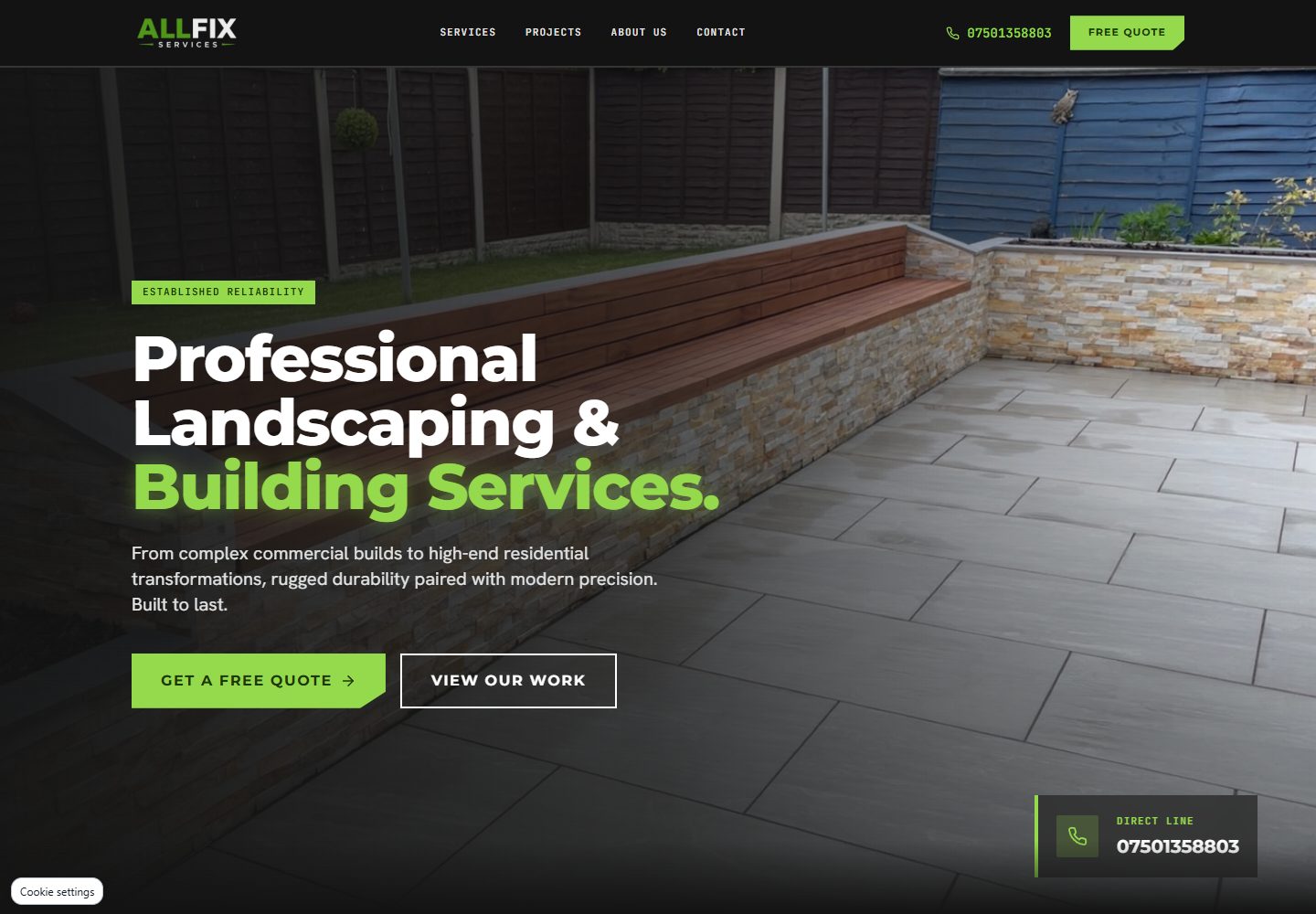
All Fix has four main service areas on the site: residential landscaping, commercial building, hardscaping and property maintenance. Each has its own explanation, so a homeowner looking for garden work can begin with the relevant section.
The black and lime design carries through the navigation, headings and quote buttons. It gives the site a consistent appearance while leaving the photographs large enough to look at. The direct phone route is visible alongside the enquiry option.
When I look at a service website, I want to understand what the business can help with before being asked to complete a form. These service sections give somebody a starting point even when they do not know the trade name for the work they need.
Source: All Fix Services: public website
Let people look at the jobs
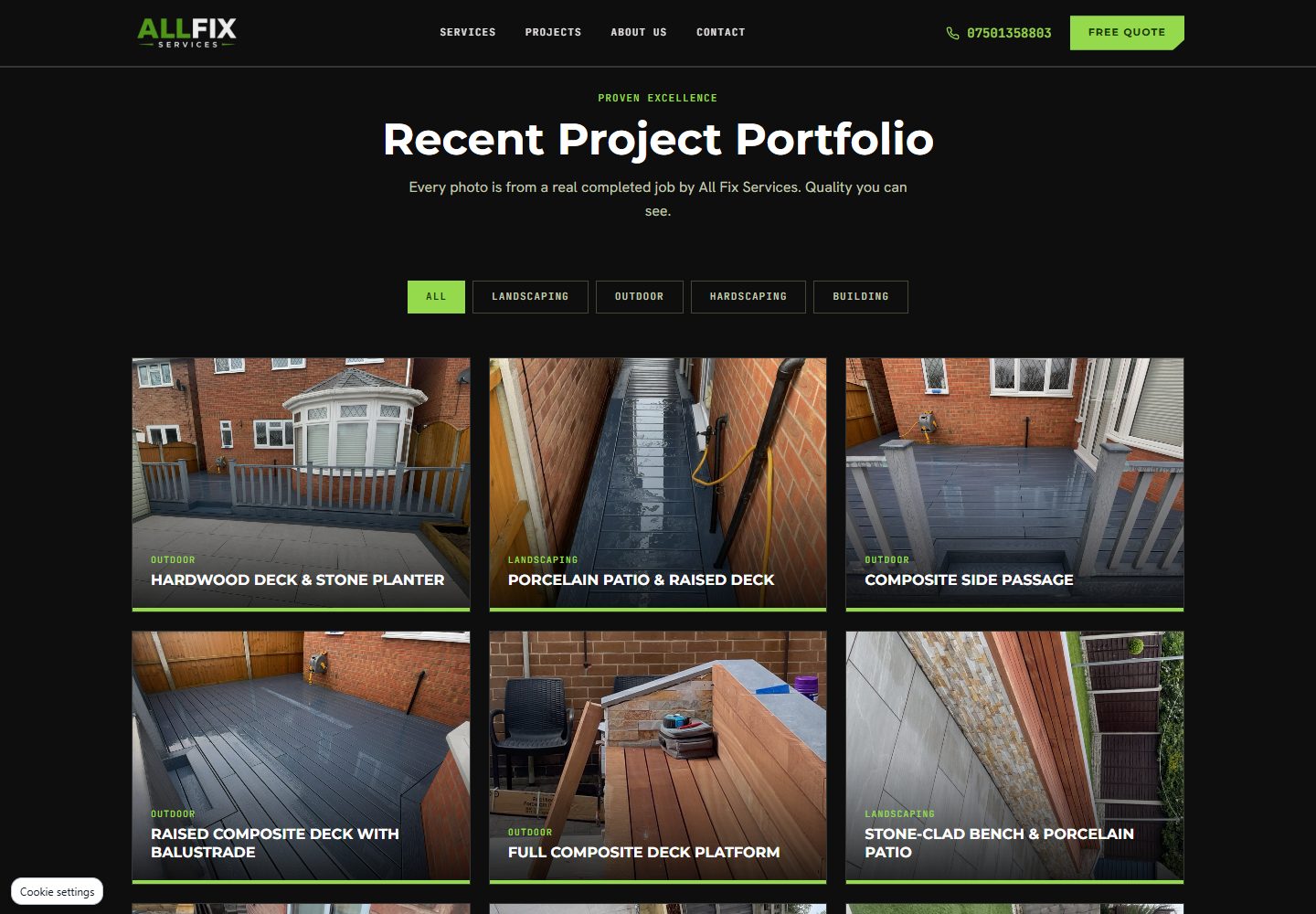
The project gallery groups work by category. Visitors can look through landscaping, outdoor work, hardscaping and building examples, or view the whole collection. The public site identifies the photographs as completed All Fix jobs.
There is variety in that gallery: decking, patios and a timber bin store sit alongside drainage work. Those details make the offering easier to understand. They give a customer a way to point to a finish or a kind of project when making an enquiry.
Keep the labels useful as new photographs are added. A description of the visible job helps somebody connect the image to what they want done. The person maintaining the gallery needs to know which category and description belong with each upload.
Source: All Fix Services: public website
Give the enquiry enough context
The quote form asks which service the visitor needs, their postcode and a brief description of the project, alongside the contact details needed for a response. There is also an option for someone who is not sure which service applies.
That is a sensible question to include for a business offering several types of work. The customer should be able to describe the job in their own words. The business can then ask about the details that affect a proper quote.
The site also offers a direct phone route. A visitor looking at photographs on a phone can choose the contact method that suits the conversation they need to have.
Why I like working through these details
A local business already knows its work. The website has to explain it to someone who may be arranging that kind of job for the first time. Deciding which photograph or service description helps them is a useful part of the build.
On this site, a visitor can move from the service range to examples and then describe their own project. I want that journey to be easy to follow on a phone as well as a larger screen. The gallery and contact options give the design a practical job.
We include All Fix in our public portfolio. You can follow the finished site below and try the route for one service you recognise, from its explanation to the enquiry options.
Source: Flying Penguin: our work
Bring the photographs that explain your work
If you have a trade business, collect photographs with that customer journey in mind. Think about which service each image explains and what you would want somebody to notice. A close detail can be useful beside a wider view of the finished space.
Put those examples beside your service list before the website brief. They give us specific material to plan around, and help decide what the next customer should be able to find.
Sources
Checked on 23 October 2026.
- All Fix Services: public website
Current service range, categorised gallery, enquiry fields and the public credit for our website build and maintenance. Public screenshots captured on 23 October.
- Flying Penguin: our work
All Fix Services appears in our public website portfolio.