
The same again.
Without retyping.
Order Duplicator · Encore. Duplicate a WooCommerce order with items, addresses and meta intact. Handy for reorders and replacements.
£2.49/month or £25/year
A clearer workflow.
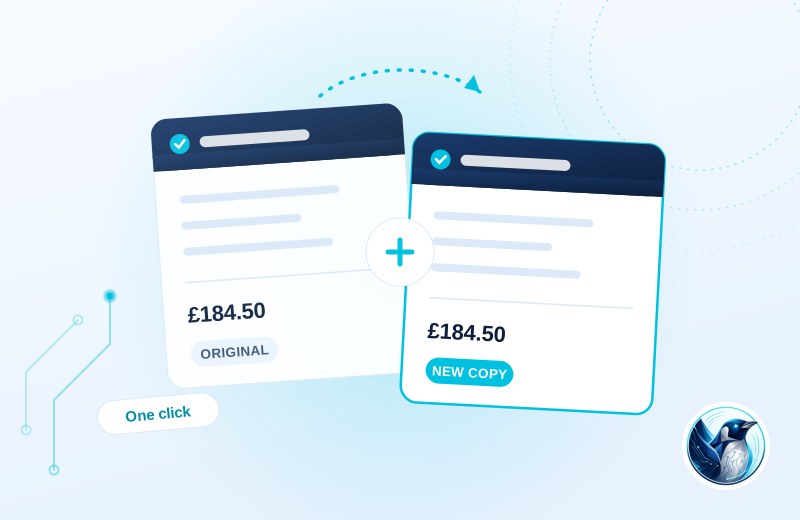
A customer wants to reorder a familiar set of parts. Your team duplicates the previous order, checks today’s details and processes the new unpaid order.
Open the original
Find the purchase you want to recreate in the order screen or list.
Create a fresh order
Items, addresses and order metadata are copied into a pending order.
Check before processing
Adjust the new order and arrange payment through your normal process.
Illustrative use case based on the reference build. Configuration depends on your site.
What it does.
A customer rings up and wants the same again. A parcel goes missing and you need a replacement order without retyping everything. Duplicating an order should be one click, so we made it one click.
This runs on all three of our own stores. The warehouse uses it daily for reorders and replacement shipments.
- One-click duplicate from the order screen or order list
- Copies line items, prices, customer details and addresses
- Copies order meta, so plugins that store data on orders keep working
- New order starts as pending, ready to adjust and process
Moving from Easy Duplicate Woo Order?
Review existing data and settings on a staging copy, keep a backup and test your important journeys before switching. Review prices, stock, delivery details and any copied metadata. Duplication does not charge the customer or replace your payment checks.
Choose the plan. Check the fit.
Review prices, stock, delivery details and any copied metadata. Duplication does not charge the customer or replace your payment checks.
How to get started
Review your setup
Check the requirements below. Keep a backup and prepare a staging copy before installation.
Choose monthly or annual
Subscribe for the ZIP download, updates and support while your subscription is active.
Test the complete journey
Review the example above against your own data. Check the relevant customer or staff journey before launching.
Build & installation details
- Installed plugin name
- Penguin Duplicate Order
- Catalogue version
- v1.0.4
- Requirements
- WordPress 6.0+, WooCommerce 7.0+
- Delivery
- Plugin ZIP download
Before you get started.
Answers about the build, the setup and what to check.
Does it retake payment?
No. The duplicate is a fresh unpaid order. You process payment however you normally would.
Does it work with HPOS?
Yes, it works with both HPOS and classic order storage.
What should I check before using this?
Review prices, stock, delivery details and any copied metadata. Duplication does not charge the customer or replace your payment checks.
How is this supplied?
Subscribe monthly or annually, then download the plugin ZIP. Updates and support are available while subscribed. Test the setup before replacing an existing plugin.
Will it work with my current setup?
The catalogue requirements are WordPress 6.0+, WooCommerce 7.0+. Check your theme, connected plugins and the workflow described above. Send us your site and the integrations you use if you need a compatibility review.
Is this part of the Penguin Toolkit?
Yes. The Toolkit covers subscribable plugins for up to five stores. An individual subscription covers one store.
Useful reading
Official WordPress and WooCommerce guides to the underlying tasks. These cover the platform, rather than this plugin’s configuration.
Keep the journey moving
Related plugins for the next part of your workflow.
 Order Search · OrderlensFind any order as fast as you can type.
 Supplier Order Manager · SupplydeskSupplier orders, dispatch planning and chasing, inside WooCommerce.