
Product search.
Made useful.
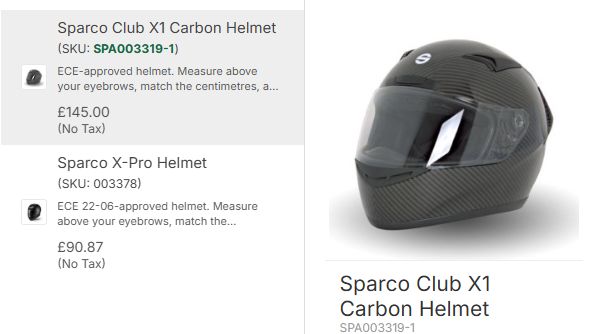
FP Product Search shows matching products as customers type. Names, part codes and variations lead to a useful next step.
Configured for your WooCommerce store. Scoped first, then a fixed quote.
SPA003319-1
Different shoppers.
Different searches.
Some know the name. Others have a code. Give both a useful route into your catalogue.
Try the search at GSM Performance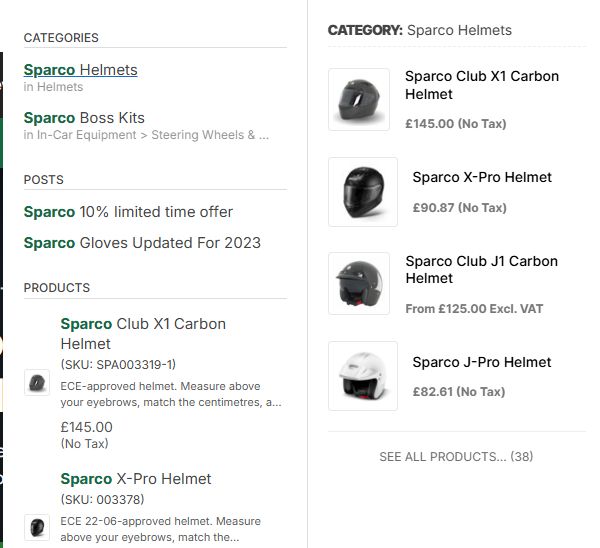
Give a broad search somewhere to go.
Products, matching categories and useful articles appear together. Shoppers can narrow their search or go straight to a product.
Actual GSM Performance search, captured October 2026. These are screenshots, not a live search of your store.
More useful matches.
Less hunting around.
Help people recognise a product, understand their options and keep moving towards a purchase.
Matches while they type
Show products before the customer reaches a results page. Images, names and product details help them recognise the right item.
Names, codes and variations
Support customers who search by a product name or stock code. Variation matching helps surface the choices within your catalogue.
Room for imperfect spelling
Typo tolerance and configured synonyms help connect everyday search terms with the words used in your product data.
A catalogue built for searching
An index gives search its own view of the catalogue. We check product coverage and the rebuild process as part of setup.
Useful on a phone
A dedicated mobile interface keeps search usable on a smaller screen. We check it with your theme and navigation.
Learn from the searches
Search analytics show the terms people use. Use that insight to review product wording, synonyms and the journeys into your shop.
Real shops.
Real search journeys.
This reference build runs across our GSM store network. It was shaped around real catalogues, product codes and customers looking for specialist kit.
Your catalogue.
A considered setup.
Search works best when it fits your products and your shop. We review those first, then agree the work.
Show us your shop
Send your website and a few searches that should work better. We review the theme, catalogue and existing search.
Agree the scope and price
We confirm the integration, configuration, testing and support. You receive a fixed quote before work starts.
Configure, test and launch
We check product coverage and representative searches, including codes, variations and the mobile experience.
Before you
make the switch.
A few useful answers about setup, matching and ongoing care.
Can I download and install it myself?
FP Product Search is currently offered as a managed client build. We review your store and quote the setup before work starts. This page does not sell a standard self-install download.
Can it find products by SKU or variation?
Yes. SKU and variation matching are part of the reference build. We check your actual product and variation data during setup, then test representative searches from your catalogue.
Does it handle spelling mistakes and alternative words?
The reference build supports typo tolerance and synonyms. We configure and test these against your catalogue. The quality of the matches still depends on the product data, search terms and settings.
Will it work with my theme and existing search?
We check that before quoting. The scope covers where search appears, your theme, catalogue and relevant integrations. If you are replacing another search tool, we agree the migration and test it before switching.
What happens when my catalogue changes?
Search relies on a product index. Setup includes checking how product changes reach that index and how a rebuild is run. Ongoing maintenance and support are agreed in your project scope.
Is it included in the Penguin Toolkit?
This Product Search reference build is quoted separately. The Toolkit covers subscribable plugins; individually scoped client and industry builds sit outside that subscription.
Useful reading.
Official WooCommerce guides to the catalogue data behind the search. These cover the platform rather than the Flying Penguin search configuration.