
A thoughtful extra.
Added for them.
Free Gifts · Little Extra. Add automatic free gifts to the cart by spend, product or category. Drop-in replacement for GIFTiT Free Gifts PRO.
£4.49/month or £45/year
A more useful journey.
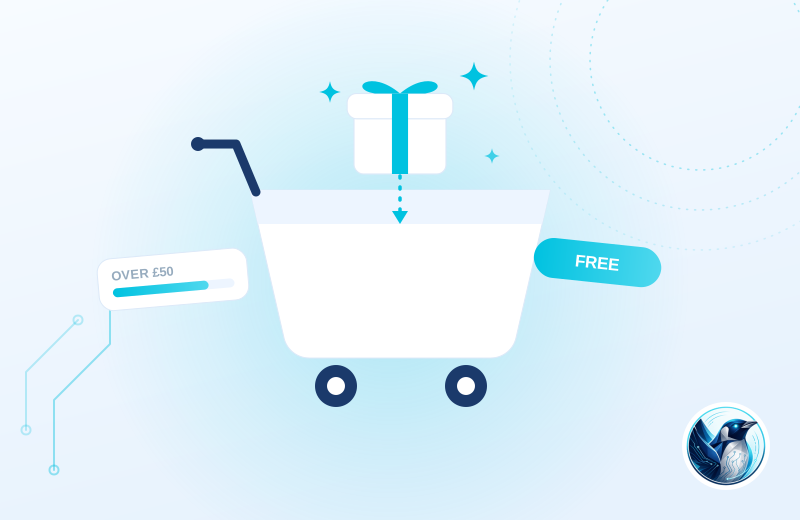
Your offer includes a small accessory with a qualifying product. Customers see the gift in their basket, and removing the qualifying item also removes the gift.
Define the offer
Choose the basket spend, products or categories that qualify for a gift.
Recognise the basket
A qualifying gift is added automatically and shown at zero price.
Keep the rule honest
If the basket stops qualifying, the automatic gift is removed.
Illustrative use case based on the reference build. Configuration depends on your site.
What it does.
Free gifts sell. Spend over a threshold and a gift lands in the cart, buy a certain product and something extra comes with it. The plugin we used for this on our own store worked, but updates slowed and every WooCommerce release became a gamble.
FP Free Gifts uses the same data keys as GIFTiT Free Gifts PRO, so switching is deactivate one, activate the other, and your existing gift rules carry on unchanged.
- Gift rules by cart total, product, category or combination
- Automatic add-to-cart when the rule is met, removed if the cart drops below
- Same data keys as GIFTiT Free Gifts PRO, existing rules work immediately
- Gifts shown clearly in cart and checkout at zero price
Moving from GIFTiT Free Gifts PRO (iThemeland)?
Review existing data and settings on a staging copy, keep a backup and test your important journeys before switching. Test discount combinations, gift stock and basket changes. Confirm existing GIFTiT rules on a staging copy before replacing the old plugin.
Choose the plan. Check the fit.
Test discount combinations, gift stock and basket changes. Confirm existing GIFTiT rules on a staging copy before replacing the old plugin.
How to get started
Review your setup
Check the requirements below. Keep a backup and prepare a staging copy before installation.
Choose monthly or annual
Subscribe for the ZIP download, updates and support while your subscription is active.
Test the complete journey
Review the example above against your own data. Check the relevant customer or staff journey before launching.
Build & installation details
- Installed plugin name
- FP Free Gifts
- Catalogue version
- v1.0.3
- Requirements
- WordPress 6.0+, WooCommerce 7.0+
- Delivery
- Plugin ZIP download
Before you get started.
Answers about the build, the setup and what to check.
I run iThemeland GIFTiT now. How hard is the switch?
Deactivate GIFTiT, activate FP Free Gifts. It reads the same rule data, so there is nothing to rebuild.
Can customers choose their gift?
Rules can offer a choice from a set of eligible products or add a fixed gift automatically.
What should I check before using this?
Test discount combinations, gift stock and basket changes. Confirm existing GIFTiT rules on a staging copy before replacing the old plugin.
How is this supplied?
Subscribe monthly or annually, then download the plugin ZIP. Updates and support are available while subscribed. Test the setup before replacing an existing plugin.
Will it work with my current setup?
The catalogue requirements are WordPress 6.0+, WooCommerce 7.0+. Check your theme, connected plugins and the workflow described above. Send us your site and the integrations you use if you need a compatibility review.
Is this part of the Penguin Toolkit?
Yes. The Toolkit covers subscribable plugins for up to five stores. An individual subscription covers one store.
Useful reading
Official WordPress and WooCommerce guides to the underlying tasks. These cover the platform, rather than this plugin’s configuration.
Keep the journey moving
Related plugins for the next part of your workflow.
 Bought Together · PairwiseUseful product bundles without a heavy front end.
 Product Labels · ShelfmarkProduct badges with rules, not repetitive admin.