
Every order.
Its own number.
Order Numbering · Orderline. Race-safe sequential numbering with prefixes, padding and a repair tool for duplicates left by old plugins.
£3.49/month or £35/year
A clearer workflow.
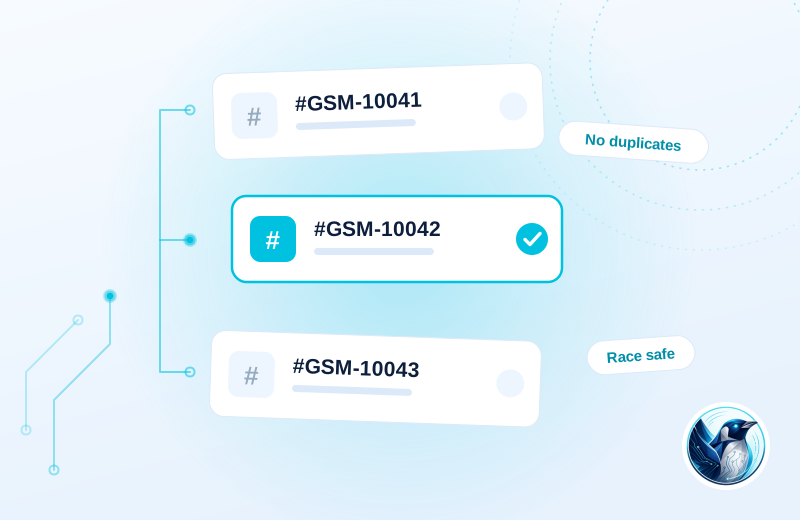
Two customers complete checkout at almost the same moment. Each order receives its own sequential number, so the warehouse can distinguish the paperwork.
Keep your sequence
Review existing order numbers and choose the prefix, suffix and padding.
Number new orders
An atomic counter allocates the next number when orders arrive.
Resolve older clashes
Use the repair tools to investigate duplicates left by the previous setup.
Illustrative use case based on the reference build. Configuration depends on your site.
What it does.
During a busy spell, the popular order-number plugin on our own store handed the same number to two different orders. Twice. Anyone who has tried to sort out an accounts export with duplicate order numbers knows how expensive that afternoon gets.
So we built numbering around an atomic counter. Two orders arriving in the same instant physically cannot take the same number. It keeps your existing sequence when you switch, and it ships with a tool that finds and repairs duplicates your old plugin left behind.
- Atomic counter, duplicate numbers are impossible
- Prefix, suffix and zero-padding options
- Keeps your existing order numbers when you switch over
- Finds and repairs duplicates left by previous plugins
- Works with HPOS and classic order storage
Moving from Custom Order Numbers by Tyche, Sequential Order Numbers Pro?
Review existing data and settings on a staging copy, keep a backup and test your important journeys before switching. Test accounting exports, payment references and fulfilment integrations before changing a numbering scheme. Review historical repairs before applying them.
Choose the plan. Check the fit.
Test accounting exports, payment references and fulfilment integrations before changing a numbering scheme. Review historical repairs before applying them.
How to get started
Review your setup
Check the requirements below. Keep a backup and prepare a staging copy before installation.
Choose monthly or annual
Subscribe for the ZIP download, updates and support while your subscription is active.
Test the complete journey
Review the example above against your own data. Check the relevant customer or staff journey before launching.
Build & installation details
- Installed plugin name
- Penguin Custom Order Numbers
- Catalogue version
- v1.0.4
- Requirements
- WordPress 6.0+, WooCommerce 7.0+
- Delivery
- Plugin ZIP download
Before you get started.
Answers about the build, the setup and what to check.
Will my existing order numbers change?
No. It picks up your sequence where the old plugin left off and carries on from there.
What happens if I cancel?
The plugin keeps working with the settings you have. Updates and support stop until you resubscribe.
What should I check before using this?
Test accounting exports, payment references and fulfilment integrations before changing a numbering scheme. Review historical repairs before applying them.
How is this supplied?
Subscribe monthly or annually, then download the plugin ZIP. Updates and support are available while subscribed. Test the setup before replacing an existing plugin.
Will it work with my current setup?
The catalogue requirements are WordPress 6.0+, WooCommerce 7.0+. Check your theme, connected plugins and the workflow described above. Send us your site and the integrations you use if you need a compatibility review.
Is this part of the Penguin Toolkit?
Yes. The Toolkit covers subscribable plugins for up to five stores. An individual subscription covers one store.
Useful reading
Official WordPress and WooCommerce guides to the underlying tasks. These cover the platform, rather than this plugin’s configuration.
Keep the journey moving
Related plugins for the next part of your workflow.
 Order Documents · PapertrailThe paperwork that belongs with every order.
 Custom Order Fields · OrdernotesThe order details your team needs, in the right place.