
See the margin behind the sale.
Cost of Goods · Margin Map. Cost prices on products, profit on every order, and a profit dashboard. Same data keys as Cost of Goods for WooCommerce.
£4.99/month or £49/year
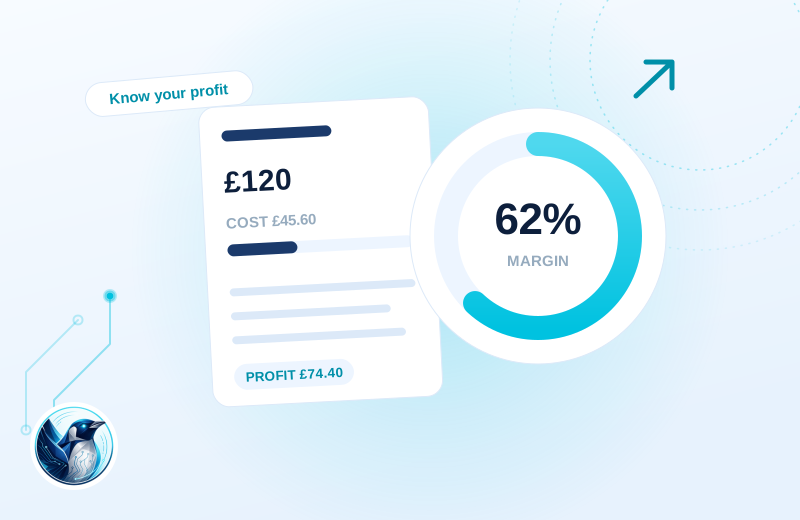
A clearer workflow.
Two products sell at similar prices but have different costs. The dashboard helps your team compare their recorded product profit rather than sales value alone.
Record your costs
Add cost prices to simple products and variations.
Keep the sale’s context
Product profit is calculated and stored with the order at the time of sale.
Review the picture
Use date and product views to understand the recorded contribution.
Illustrative use case based on the reference build. Configuration depends on your site.
What it does.
Revenue is easy to see in WooCommerce. Profit is not. Once every product carries its cost price, each order can tell you what you made on it, and the month adds itself up.
We built this to replace the cost-of-goods plugin on our own store. It uses the same data keys, so years of cost prices and order profit history carry straight over with no migration step at all.
- Cost price field on simple and variable products
- Profit calculated and stored per order at the moment of sale
- Profit dashboard by date range and product
- Same _alg_wc_cog data keys as Cost of Goods for WooCommerce, zero migration
- Costs stay out of anything customers can see
Moving from Cost of Goods for WooCommerce (WPFactory/Alg)?
Review existing data and settings on a staging copy, keep a backup and test your important journeys before switching. Keep cost data current and distinguish product profit from complete business profit. Missing costs, fees and overheads can change the interpretation.
Choose the plan. Check the fit.
Keep cost data current and distinguish product profit from complete business profit. Missing costs, fees and overheads can change the interpretation.
How to get started
Review your setup
Check the requirements below. Keep a backup and prepare a staging copy before installation.
Choose monthly or annual
Subscribe for the ZIP download, updates and support while your subscription is active.
Test the complete journey
Review the example above against your own data. Check the relevant customer or staff journey before launching.
Build & installation details
- Installed plugin name
- Penguin Cost of Goods
- Catalogue version
- v1.0.8
- Requirements
- WordPress 6.0+, WooCommerce 7.0+
- Delivery
- Plugin ZIP download
Before you get started.
Answers about the build, the setup and what to check.
I already use Cost of Goods for WooCommerce. Do I lose my history?
No. Same data keys, so every cost price and every stored order profit figure is already in place when you switch.
Does it change my prices or checkout?
No. It only records costs and reports profit. Customers never see any of it.
What should I check before using this?
Keep cost data current and distinguish product profit from complete business profit. Missing costs, fees and overheads can change the interpretation.
How is this supplied?
Subscribe monthly or annually, then download the plugin ZIP. Updates and support are available while subscribed. Test the setup before replacing an existing plugin.
Will it work with my current setup?
The catalogue requirements are WordPress 6.0+, WooCommerce 7.0+. Check your theme, connected plugins and the workflow described above. Send us your site and the integrations you use if you need a compatibility review.
Is this part of the Penguin Toolkit?
Yes. The Toolkit covers subscribable plugins for up to five stores. An individual subscription covers one store.
Useful reading
Official WordPress and WooCommerce guides to the underlying tasks. These cover the platform, rather than this plugin’s configuration.
Keep the journey moving
Related plugins for the next part of your workflow.
 Retail Profitability · Margin JournalSee retail contribution with the evidence behind it.
 Product Bulk Editor · BatchworkEdit a whole catalogue like a spreadsheet.