Talk through the work in your dashboard.
AI Site Manager · Sitepilot. Chat to your site from the dashboard: edit content, update products, change settings. Bring your own Anthropic key.
£5.99/month or £59/year
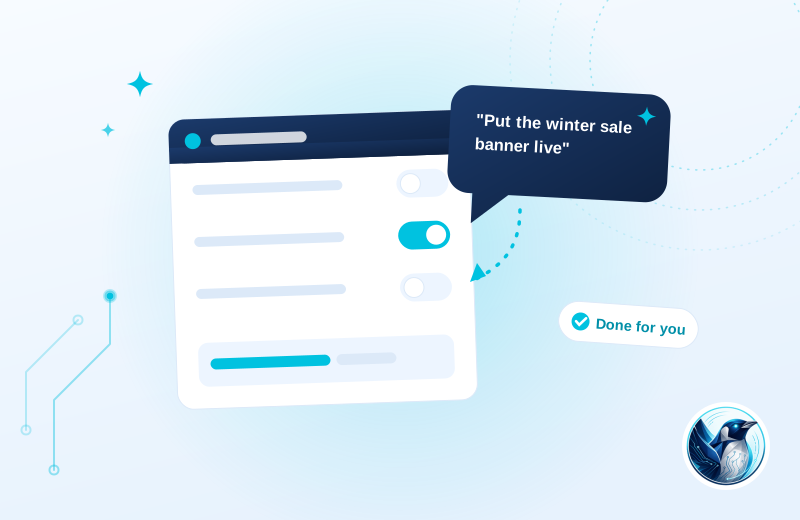
A clearer workflow.
An administrator asks for a product description to be updated, then checks the reported change and previews the product before moving on.
Connect your account
An administrator supplies the Anthropic API connection.
Ask for a site change
The dashboard chat works with posts, pages, products and supported settings.
Review what changed
Changes are reported back so the administrator can check the result.
Illustrative use case based on the reference build. Configuration depends on your site.
What it does.
Most AI plugins write text and stop there. This one holds the keys. Ask it to update a product price, tidy a page, or change a setting and it does it through proper WordPress APIs, showing you what it changed.
It runs on your own Anthropic API key, so your site talks to the model directly and you pay Anthropic their actual rates rather than paying us a markup on tokens.
- Chat head inside wp-admin, for administrators only
- Edits posts, pages, WooCommerce products and settings through core APIs
- Every change reported back to you as it happens
- Bring your own Anthropic API key, no token markup
Moving from AI Engine and similar assistants, without the token markup?
Review existing data and settings on a staging copy, keep a backup and test your important journeys before switching. AI output needs human review. Agree permissions, backups and spending limits for the connected provider before using it on important site content.
Choose the plan. Check the fit.
AI output needs human review. Agree permissions, backups and spending limits for the connected provider before using it on important site content.
How to get started
Review your setup
Check the requirements below. Keep a backup and prepare a staging copy before installation.
Choose monthly or annual
Subscribe for the ZIP download, updates and support while your subscription is active.
Test the complete journey
Review the example above against your own data. Check the relevant customer or staff journey before launching.
Build & installation details
- Installed plugin name
- FP AI Manager
- Catalogue version
- v1.0.9
- Requirements
- WordPress 6.0+, an Anthropic API key
- Delivery
- Plugin ZIP download
Before you get started.
Answers about the build, the setup and what to check.
What does the API usage cost?
You pay Anthropic directly at their rates. Typical admin use is pennies a day, and the spend is visible in your Anthropic console.
Can it break my site?
It works through the same WordPress APIs an administrator uses, so everything it does is visible and reversible the same way. It has no access to files or the database beyond those APIs.
What should I check before using this?
AI output needs human review. Agree permissions, backups and spending limits for the connected provider before using it on important site content.
How is this supplied?
Subscribe monthly or annually, then download the plugin ZIP. Updates and support are available while subscribed. Test the setup before replacing an existing plugin.
Will it work with my current setup?
The catalogue requirements are WordPress 6.0+, an Anthropic API key. Check your theme, connected plugins and the workflow described above. Send us your site and the integrations you use if you need a compatibility review.
Is this part of the Penguin Toolkit?
Yes. The Toolkit covers subscribable plugins for up to five stores. An individual subscription covers one store.
Useful reading
Official WordPress and WooCommerce guides to the underlying tasks. These cover the platform, rather than this plugin’s configuration.
Keep the journey moving
Related plugins for the next part of your workflow.
 Site Code Manager · CodevaultKeep custom site code organised and recoverable.
 Store Integration API · BridgeConnect approved tools to the right store operations.